




The garage was already a mess. Tools on a pegboard. A workbench that never had enough space. An old drill press in the corner that nobody used.
Adding a home workshop laser to that setup took more planning than I expected. Not complicated planning. Just more of it.
The machine wasn’t the hard part. The setup around the machine was.
Why Garages Work Better Than You’d Think
People sometimes assume you need a dedicated studio space. You don’t. A garage with decent ventilation handles most home workshop laser setups just fine. A concrete floor makes cleanup easier. A separate space means smoke and fumes don’t go through the house.
The main thing is airflow. Laser machines make fumes. CO2 machines cutting wood put out smoke. Acrylic off-gasses something you don’t want to breathe in an enclosed room. Even with an exhaust system, the garage door cracked open a few inches changes the air quality noticeably.
I learned this the first week. Ran a small wood job with the garage closed. Never did it again.
Picking the Machine: CO2 for Most People
If your home workshop laser plans involve wood, acrylic, leather, or similar materials, a CO2 machine is the right category. The wavelength cuts soft organic materials cleanly in a way that diode machines can’t match for acrylic and struggle to match on thicker wood.
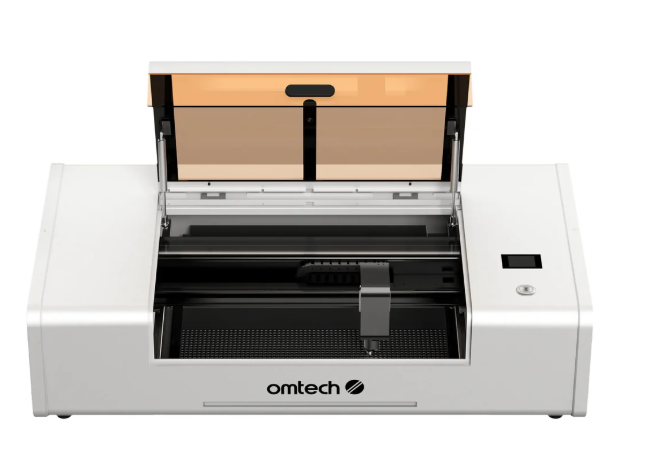
For a home workshop that might turn into a small business, the Polar Lite 55W Desktop CO2 Laser Engraver and Cutter is worth a serious look. Compact footprint. Desktop-friendly. 55W is enough to cut 1/4 inch plywood cleanly and handle most gift and sign projects without a dedicated cabinet machine taking up half the garage.
If your space allows a larger setup and you want more table area, the AF2028 60W CO2 Laser Engraving and Cutting Machine adds a 20 x 28 inch work area without jumping to a massive floor unit. For someone running a home workshop laser that gets used daily and needs to handle full sheets, the table size matters.
One thing I’d tell anyone setting up a home workshop CO2: don’t skip the water cooling. CO2 tubes degrade faster with poor cooling. Most mid-range machines need a chiller or at minimum a well-maintained water reservoir. OMTech’s water chiller collection has options sized for different machines.
Home Workshop Fiber Laser: If Metal Is Your Thing
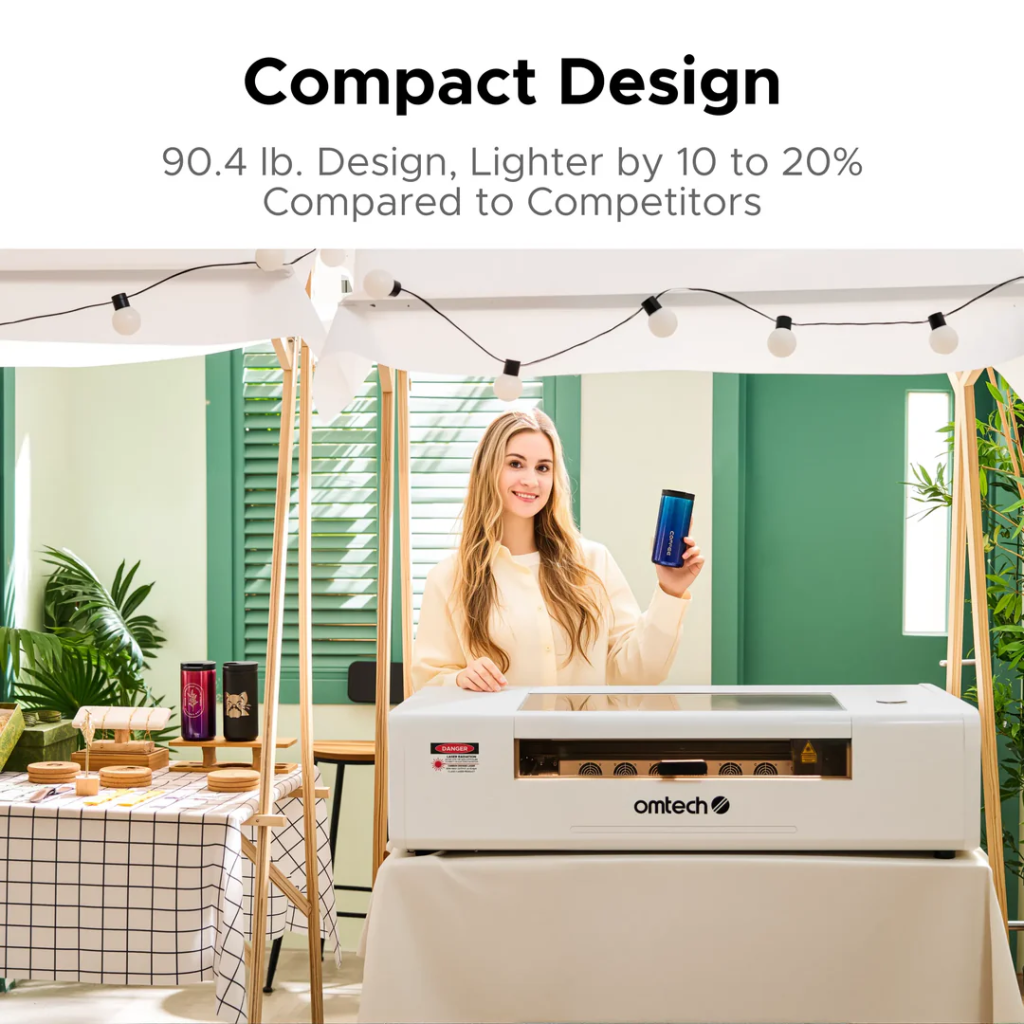
Different shop, different needs.
If your home workshop already involves metal fabrication, machining, knife making, or anything where you’re working with steel and aluminum regularly, a fiber laser fits naturally. Compact galvo units don’t take much floor space. Air-cooled. No water system needed.
Fiber marks stainless, aluminum, brass, and titanium permanently without coating. Knives. Custom hardware. Made-in-garage product lines. Whatever you’re building, if metal branding or part identification matters, fiber is the right tool.
According to Wikipedia’s overview of laser engraving, fiber lasers operate at 1064nm, a wavelength absorbed efficiently by metals, producing permanent surface changes through controlled thermal modification. Practically speaking: the mark goes into the metal, not onto it. It doesn’t rub off.
For a home metal workshop, an OMTech galvo fiber machine fits the scale. Compact. Precise. You don’t need a full industrial marking station to get professional results at home volume.
The Ventilation Problem Nobody Warns You About
This is the thing I wish someone had spelled out clearly before I started.
An exhaust fan alone isn’t enough for daily use. A fan moves air, but if you’re cutting wood or acrylic regularly, the smoke and particulates build up in the space over time. A proper filtration unit or a vented exhaust that routes outside is the right solution.
Routing outside is cheaper. Run a flex duct from the machine exhaust out through a dryer vent hole or a window. Simple. Effective.
Air filtration units cost more upfront but work if you can’t vent outside. They pull air through a HEPA and activated carbon filter combo. The carbon stage handles the odor. The HEPA handles the fine particulates.
For a garage setup, I went with ducted outside. Easier to maintain. No filter replacements. But if your machine is inside a room without an exterior wall, filtration is the answer.
The smell matters too. Burning MDF or acrylic has a distinctive odor that lingers. Your neighbors might notice. If your garage shares a wall with living space, ventilation keeps it out of the house.
Setting Up the Actual Workspace
The machine needs a dedicated table. Not a folding table. Not a plastic workbench. Something solid and level that won’t flex when you load material or move around the machine.
Level matters more than people expect. If the bed isn’t flat and level, your cut quality suffers. The laser focus changes across the work surface. Jobs that should cut through leave uncut sections. A level machine on a solid table solves this before it becomes a problem.
You also need storage nearby. Plywood sheets, acrylic panels, leather rolls. Materials stack up fast when you start buying in quantity. A wall shelf or a sheet storage cart keeps things organized and accessible without walking across the garage every time you need the next piece.
Lighting. Better than you think you need. Working around a machine with a dim overhead bulb makes setup harder, and you miss things. Good overhead lighting plus a task light near the machine makes a real difference.
Software: Don’t Overcomplicate It
LightBurn runs most OMTech CO2 and compatible fiber machines. It handles design, file import, layer settings, and job execution from one interface. The learning curve is real but manageable.
Most people are productive in LightBurn within a week of daily use. Not expert-level. Productive. Running real jobs, dialing in settings, understanding what the parameters actually do.
There are tutorials online. The LightBurn forum community is useful. But honestly, the fastest way to learn is just running test cuts and adjusting from there. The software tells you what it’s doing. You watch the results. You adjust.
Don’t buy additional design software before you know you need it. LightBurn handles most of what home workshop laser users need. SVG files from Inkscape (free) feed directly into it. That workflow covers a huge range of projects.
What I’d Do Differently
A few things, in no particular order.
I’d plan the exhaust route before the machine arrived. Drilling a hole through the garage wall with the machine in place is annoying.
I’d budget for a proper table before the machine arrived, instead of improvising the first week on a workbench that wasn’t right.
I’d buy better plywood from the start instead of testing cheap sheets first and then switching. The results are different enough that the cheap testing phase was mostly a waste.
I’d clean the lens sooner. The first time my results got noticeably worse, the culprit turned out to be a dirty lens. Five minutes of cleaning fixed it instantly.
None of this is complicated. It just helps to know it before you’re standing in a smoky garage trying to figure out why a cut that worked last week isn’t working today.
FAQs
What’s the best laser for a home workshop?
Depends on materials. CO2 for wood, acrylic, and soft materials. Fiber for metal marking. For a mixed craft and sign business from home, a 55W to 60W CO2 machine covers most jobs without taking up the entire garage.
Can you run a laser engraver in a garage?
Yes, with proper ventilation. Ducted exhaust outside or a proper filtration unit. A cracked garage door alone isn’t enough for regular use, especially with MDF or acrylic.
Do home workshop lasers need water cooling?
CO2 machines above 40W typically need water cooling. Some models have it built in. Others need an external chiller. Fiber galvo machines are usually air-cooled with no water system needed.
What table size do I need for a home laser workshop?
Match it to your most common material. If you’re regularly cutting 18 x 24-inch sheets, a 20 x 28-inch work area fits without trimming. Smaller tables require constant material reduction before loading.
Is LightBurn software difficult to learn?
Most users become productive within a week. It handles both design and machine control. Free SVG software like Inkscape pairs well with it for a complete no-extra-cost design workflow.

