






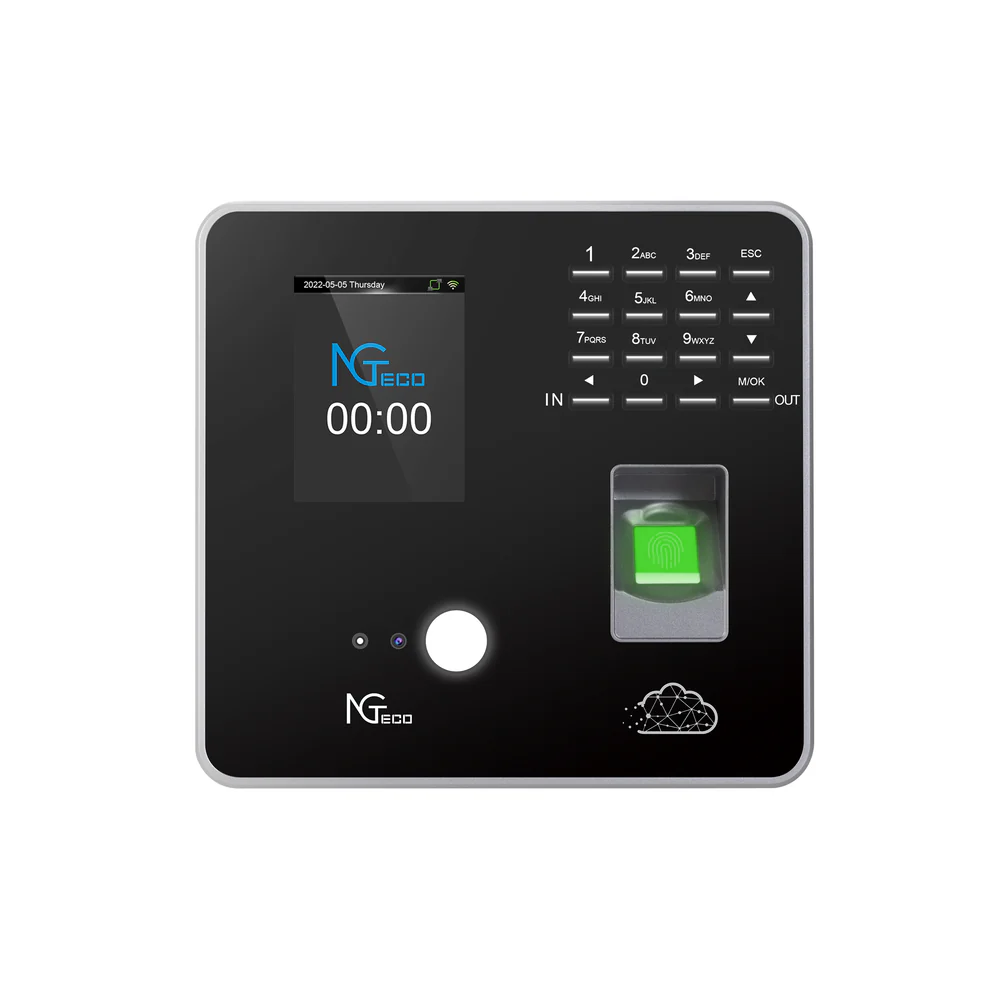
Employee time tracking remains one of the most persistent challenges in workforce management. Inaccurate clock-ins lead to payroll errors, compliance issues, and disputes that consume valuable HR resources. Traditional punch cards and manual timesheets are prone to buddy punching, forgotten entries, and deliberate manipulation. Even basic digital systems struggle with verification, leaving managers uncertain whether employees are actually present at their designated work locations. These inefficiencies create administrative burdens that pull HR teams away from strategic initiatives while eroding trust between management and staff. Modern businesses need a solution that combines precision with ease of use, ensuring every clock-in is verified, timestamped, and securely stored. Cloud-based technology has emerged as the answer, offering real-time data synchronization, robust security, and the scalability to grow with your organization. By leveraging advanced authentication methods and reliable infrastructure, companies can finally achieve the accuracy and accountability that manual systems never delivered.
Introduction to the Problem
HR managers face mounting pressure to track employee hours with precision while minimizing administrative overhead. Manual timesheets invite errors through illegible handwriting, forgotten entries, and intentional time theft. Buddy punching alone costs businesses billions annually, as employees clock in for absent coworkers without detection. Spreadsheet-based systems require constant manual updates, creating bottlenecks during payroll processing and leaving room for disputes over worked hours. Compliance with labor regulations becomes nearly impossible when records lack verification mechanisms or audit trails. Managers waste hours each week reconciling discrepancies, investigating attendance issues, and responding to employee questions about their logged time. The absence of real-time visibility means problems surface only during payroll runs, when corrections become costly and time-consuming. These challenges multiply across multiple locations, where supervisors cannot physically verify employee presence at remote job sites or satellite offices.
Overview of the Solution
Mobile time clock applications with GPS tracking and cloud integration transform how organizations capture employee attendance. These systems use smartphone technology to record clock-ins with precise location data, eliminating buddy punching through automated verification. Employees simply open the app at their work location, authenticate their identity, and submit their time entry—all within seconds. The data instantly syncs to AWS Cloud Storage, where managers gain real-time visibility into who’s working, where they’re located, and how many hours they’ve logged. This approach removes manual data entry entirely, replacing error-prone spreadsheets with automated workflows that feed directly into payroll systems. The combination of GPS verification and cloud infrastructure creates an audit trail that satisfies compliance requirements while reducing administrative workload by up to seventy percent.
Key Features of the App
Modern time clock applications deliver functionality that goes far beyond simple punch-in capabilities. GPS verification ensures employees are physically present at designated work sites before they can record their hours, automatically flagging any attempts to clock in from unauthorized locations. The system captures timestamps down to the second, eliminating disputes over arrival and departure times. Real-time synchronization with AWS Cloud Storage means managers can view attendance data instantly from any device, whether they’re in the office or managing remote teams. Automated notifications alert supervisors when employees miss scheduled shifts or clock in late, enabling immediate intervention rather than discovering issues days later during payroll review. The platform generates detailed reports that break down hours by employee, department, project, or location, streamlining the process of analyzing labor costs and identifying attendance patterns. Integration capabilities allow the system to connect with existing payroll software, pushing verified time data directly into wage calculations without manual transfers or duplicate entry work.
Advanced Time Clocks
Advanced time clock functionality transforms smartphones into sophisticated verification devices that capture multiple data points with each clock-in. The system records GPS coordinates, device identifiers, and network information to create a comprehensive authentication profile that prevents manipulation. Geofencing technology establishes virtual boundaries around work locations, automatically enabling clock-in capabilities only when employees enter designated zones. Managers can set custom radius parameters for each site, accommodating everything from compact office buildings to sprawling construction sites or delivery routes. The platform supports multiple shift patterns, break rules, and overtime calculations, automatically applying the correct parameters based on employee role and location. Offline functionality ensures employees can still clock in during network outages, with data queuing locally before syncing once connectivity returns. This redundancy prevents lost time entries while maintaining the integrity of location verification through cached GPS data.
Facial Recognition
Facial recognition technology adds a biometric layer that definitively links each time entry to a specific individual. Employees capture a brief selfie during clock-in, which the system compares against their stored profile using advanced matching algorithms. This verification happens in under two seconds, creating no friction in the clock-in process while eliminating any possibility of buddy punching. The technology adapts to changes in appearance like facial hair, glasses, or hairstyles, maintaining accuracy without requiring constant profile updates. Privacy protections ensure biometric data remains encrypted and stored separately from other employee information, meeting stringent data protection regulations across jurisdictions.
Integration with AWS Cloud Storage
AWS Cloud Storage serves as the backbone infrastructure that makes real-time time tracking possible across distributed workforces. When employees clock in through the mobile app, their attendance data transmits immediately to Amazon’s cloud servers, where it becomes accessible to authorized managers within seconds. This architecture eliminates the delays and data loss risks inherent in local storage systems, ensuring that time records remain current even when employees work across different time zones or continents. The platform automatically backs up all clock-in data across multiple geographic regions, protecting against hardware failures or natural disasters that could compromise locally stored information. AWS’s global network infrastructure delivers consistent performance whether your organization operates ten employees or ten thousand, with response times measured in milliseconds regardless of user location. Integration APIs allow the system to connect seamlessly with existing HR management platforms, pushing verified attendance data directly into payroll processing workflows without requiring manual exports or file transfers.
Secure Data Storage
AWS implements military-grade encryption protocols that protect employee time data both during transmission and while stored on cloud servers. All clock-in records undergo automatic encryption using AES-256 standards before leaving employee devices, rendering the data unreadable to anyone intercepting network traffic. Access controls restrict data visibility based on role permissions, ensuring that managers see only information relevant to their departments while preventing unauthorized viewing of sensitive attendance records. The platform maintains comprehensive audit logs that track every access attempt, modification, and data export, creating accountability trails that satisfy regulatory compliance requirements across industries and jurisdictions.
Scalability and Reliability
AWS infrastructure automatically adjusts computing resources to match demand fluctuations, handling morning rush periods when hundreds of employees clock in simultaneously without performance degradation. The system maintains 99.99% uptime through redundant server configurations that instantly reroute traffic if any component fails, ensuring employees can always record their hours regardless of technical issues. Storage capacity expands automatically as your workforce grows, eliminating the need for manual upgrades or capacity planning while keeping historical records accessible for the seven-year retention periods many industries require. This elasticity means organizations pay only for resources they actually use, avoiding the capital expenses of maintaining oversized local servers to accommodate peak loads.
Implementation and Use Case
Deploying a mobile time clock system requires a structured approach that balances technical setup with organizational change management. The implementation process typically spans two to three weeks, beginning with administrative configuration and culminating in full workforce adoption. HR managers start by defining their organization’s specific requirements—work locations, shift patterns, overtime rules, and department structures—which the system uses to automate time calculations and policy enforcement. The platform’s intuitive setup wizard guides administrators through creating geofenced work zones, establishing manager hierarchies, and configuring approval workflows that match existing processes. Employee onboarding happens through simple invitation links that prompt staff to download the app, complete facial recognition enrollment, and review clock-in procedures through interactive tutorials. Real-world applications demonstrate immediate impact: construction companies eliminate timesheet fraud at remote job sites, healthcare facilities ensure compliance with shift documentation requirements, and retail chains gain visibility into attendance patterns across hundreds of locations. Solutions like NGTeco have helped organizations across diverse industries adapt to these cloud-based systems, from field service teams clocking in at customer locations to office workers verifying arrival at corporate headquarters, all while maintaining consistent data accuracy and security standards.
Step 1: Setting up the App
Begin implementation by accessing the administrative dashboard and creating your organizational structure within the platform. Define all physical work locations by entering addresses, then adjust geofence radius parameters to accommodate each site’s unique layout—tighter boundaries for office buildings, wider zones for warehouses or outdoor work areas. Configure your company’s time policies by specifying standard work hours, break requirements, overtime thresholds, and any industry-specific rules that govern pay calculations. Upload your employee roster through CSV import or manual entry, assigning each worker to their appropriate department, manager, and default work location. Establish manager permissions by designating who can approve timesheets, run reports, and modify employee records within their scope of authority. Connect the system to your existing payroll software using pre-built integrations or API credentials provided by your payroll vendor, mapping data fields to ensure clock-in records flow correctly into wage calculations. Test the complete workflow by creating sample employees and processing mock clock-ins through approval and payroll export stages, verifying that data appears correctly at each step before rolling out to your workforce.
Step 2: User Training
Conduct brief training sessions that demonstrate the clock-in process through live examples rather than lengthy presentations. Show employees how to download the app, complete the one-time facial recognition enrollment by capturing a clear selfie in good lighting, and perform their first clock-in at their actual work location. Address common concerns immediately—explain how GPS verification protects everyone by preventing time theft, clarify that location tracking occurs only during clock-in moments rather than continuously, and demonstrate how the system handles legitimate exceptions like forgotten phones or technical issues. Provide managers with access to the reporting dashboard, walking them through real-time attendance views, exception alerts, and timesheet approval workflows they’ll use daily.
Step 3: Monitoring and Reporting
Establish daily monitoring routines where supervisors review attendance dashboards each morning to identify late arrivals, missed punches, or location verification failures requiring follow-up. Configure automated alert thresholds that notify managers when employees exceed overtime limits, approach meal break violations, or establish patterns of tardiness that need intervention. Generate weekly labor reports that break down hours by department, project, or cost center, providing finance teams with accurate data for budget tracking and forecasting. Use the system’s analytics features to identify attendance trends, peak staffing periods, and scheduling inefficiencies that inform future workforce planning decisions while maintaining detailed audit trails for compliance reviews.
Benefits for HR Managers
Mobile time clock applications with AWS Cloud Storage fundamentally transform HR operations by eliminating the administrative burden that consumes hours each week. Managers reclaim time previously spent reconciling timesheets, investigating attendance discrepancies, and manually entering data into payroll systems. Real-time visibility into workforce attendance enables proactive management rather than reactive problem-solving, allowing supervisors to address issues immediately rather than discovering them during payroll processing. The automated audit trails and compliance documentation reduce legal risk while simplifying responses to labor board inquiries or employee disputes. Cost savings extend beyond labor hours, as accurate time tracking eliminates overpayments from rounded hours and undetected time theft that erode profit margins across pay periods.
Improved Accuracy
GPS verification and biometric authentication eliminate the guesswork and manipulation that plague manual systems, ensuring every recorded hour reflects actual work performed at authorized locations. Automated timestamp capture removes rounding errors and forgotten entries, while real-time synchronization prevents the data loss that occurs with paper systems or local storage failures.
Enhanced Security
AWS encryption protocols protect sensitive employee attendance data from unauthorized access, while facial recognition prevents identity fraud during clock-ins. Role-based access controls ensure managers view only their team’s information, and comprehensive audit logs create accountability trails that demonstrate compliance with data protection regulations and labor law documentation requirements.
The Future of Workforce Time Management
Mobile time clock applications integrated with AWS Cloud Storage represent a fundamental shift in how organizations manage employee attendance, replacing outdated manual processes with automated verification systems that deliver accuracy and accountability. GPS tracking and facial recognition eliminate buddy punching and time theft while creating verifiable records that satisfy compliance requirements across industries. Real-time cloud synchronization gives managers immediate visibility into workforce attendance, enabling proactive interventions rather than reactive problem-solving during payroll cycles. The combination of advanced authentication, secure data storage, and seamless payroll integration reduces administrative overhead by up to seventy percent while eliminating the costly errors that plague spreadsheet-based systems. AWS infrastructure provides the scalability to grow with your organization and the reliability to ensure employees can always clock in regardless of location or network conditions. For HR managers seeking to reclaim time spent on manual reconciliation while improving data accuracy, cloud-based time tracking delivers measurable returns through reduced labor costs, improved compliance, and enhanced workforce visibility. The technology has matured beyond early adoption challenges, offering intuitive interfaces and proven implementations across diverse industries that demonstrate consistent value from day one of deployment. Mobile time clock app with gps

