





Gimkit is an innovative, game-based learning platform designed to engage students through interactive quizzes and dynamic gameplay. As a host, you have the ability to create, customize, and manage games that make learning both fun and effective. Whether you’re an educator aiming to reinforce classroom material or someone looking to facilitate an engaging group activity, understanding how to effectively host a Gimkit game is essential.
This comprehensive guide will walk you through the process of hosting a Gimkit game, from setting up your account to analyzing post-game data.
Getting Started with Gimkit
Creating an Account
To begin hosting games on Gimkit, you’ll need to create an account:
- Visit the Gimkit website.
- Click on “Sign Up” and choose the appropriate account type (e.g., teacher or student).
- Follow the prompts to complete the registration process.
Navigating the Dashboard
Once logged in, you’ll be directed to your dashboard, which serves as the central hub for all your activities on Gimkit. From here, you can create new kits (question sets), access existing ones, and manage your games.
Creating and Selecting Kits
What is a Kit?
A “kit” in Gimkit is essentially a set of questions that form the basis of your game. You can create your own kits or choose from a library of pre-made ones.
Creating a New Kit
To create a new kit:
- Click on “New Kit” in your dashboard.
- Enter a title, subject, and language for your kit.
- Add questions by selecting the question type (multiple-choice, text input, or image-based) and providing the necessary information.
- Once you’ve added all your questions, click “All Done” to save your kit.
Using Pre-Made Kits
If you prefer to use existing content, Gimkit offers a library of pre-made kits:
- Click on “Discover” in your dashboard.
- Use the search bar to find kits relevant to your subject or topic.
- Preview the kit to ensure it meets your needs.
- Click “Play” to use the kit in a game.
Choosing a Game Mode
Gimkit offers various game modes to suit different learning objectives and group dynamics:
- Classic Mode: Players compete individually to earn the most virtual cash.
- Team Mode: Players collaborate in teams to achieve a shared goal.
- Trust No One: Inspired by social deduction games, players identify impostors while answering questions.
- Infinity Mode: An endless mode where players answer as many questions as possible within a set time.
- Seasonal Modes: Special modes like “Humans vs. Zombies” or “Snowy Survival” that add unique twists to the gameplay.
Select the mode that best aligns with your objectives and audience.
Hosting a Live Game
Launching the Game
To host a live game:
- Navigate to your dashboard and select the kit you want to use.
- Click on the “Play Live” button.
- Choose your desired game mode.
- Customize game settings, such as time limits, power-ups, and starting cash.
- Click “Continue” and then “Host” to generate a unique game code.
Sharing the Game Code
Once the game is ready, share the unique code with your participants:
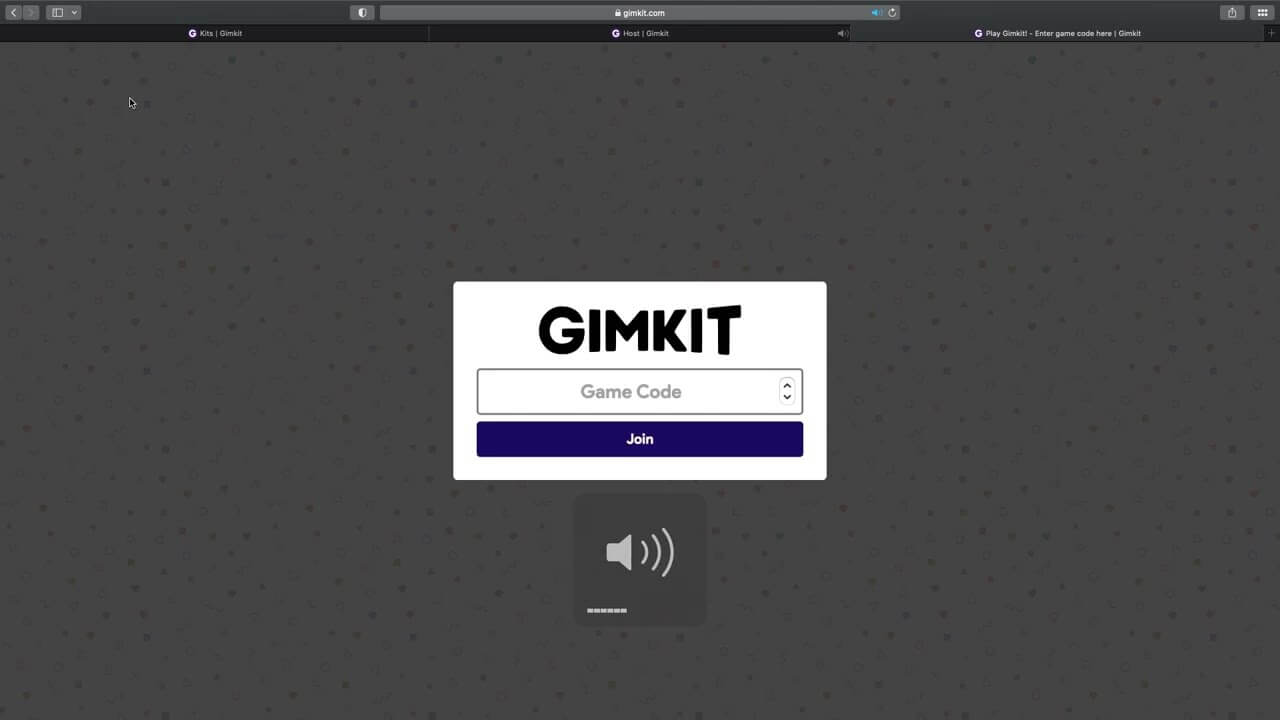
- Participants can join by visiting gimkit.com/join and entering the code.
- Alternatively, you can share a direct link or QR code for easy access.
Starting the Game
After all participants have joined:
- Click the “Start Game” button.
- Monitor the game through your host dashboard, which displays real-time data on player progress, earnings, and performance.
Utilizing the Host Dashboard
The host dashboard provides various tools to enhance your control over the game:
- Real-Time Monitoring: Track player responses, earnings, and overall progress.
- Game Controls: Pause, resume, or end the game as needed.
- Player Management: View individual player stats and manage participants.
- Leaderboard Display: Project the leaderboard to foster a competitive environment.
Post-Game Analysis
Reviewing Game Reports
After the game concludes, Gimkit provides detailed reports:
- Analyze correct and incorrect answers to identify areas of strength and weakness.
- Use the data to inform future instruction and address learning gaps.
Providing Feedback
Share insights with participants:
- Discuss common mistakes and clarify misunderstandings.
- Highlight top performers and encourage improvement.
Advanced Hosting Tips
Incorporate Multimedia
Enhance engagement by adding images or audio to your questions.
Set Clear Objectives
Define the purpose of the game, whether it’s for review, assessment, or introducing new material.
Encourage Strategy
Teach participants to use in-game earnings wisely, promoting critical thinking and decision-making.
Rotate Game Modes
Keep the experience fresh by varying game modes across sessions.
Foster Collaboration
Utilize team modes to build communication and teamwork skills.
Hosting for Remote Learners
Gimkit is adaptable for remote learning environments:
Use Video Conferencing Tools
To host Gimkit games for remote learners, integrate the platform with video conferencing tools such as Zoom, Google Meet, or Microsoft Teams. Share your screen to display the host dashboard and leaderboard in real-time, while participants join from their devices using the unique game code.
Engage Remotely
Keep remote participants engaged by:
- Asking periodic check-in questions aloud.
- Encouraging students to unmute and discuss strategies or interesting questions.
- Using the chat feature to offer tips or post links during the game.
Optimize Game Settings
For virtual classrooms, it may be helpful to:
- Extend the game duration to allow for slower connections.
- Disable distractions like music or animations if they affect streaming quality.
- Enable student pacing in assignments so learners can complete the kit at their own speed.
Leverage Assignments for Asynchronous Learning
Besides live hosting, Gimkit allows educators to assign games that students can complete at their convenience. This is especially useful for flipped classrooms, homework, or students in different time zones.
To assign a kit:
- Open the kit and click “Assign Homework”.
- Set a due date and customize the required cash goal or number of questions.
- Share the assignment link with your students.
Using Gimkit in the Classroom
Warm-Up Activities
Start class with a quick Gimkit round to review the previous lesson or activate prior knowledge. This sets an energetic tone for the day and primes students for new material.
Formative Assessment
Gimkit is an excellent tool for informal assessments. By analyzing the results, you can gauge how well students understand the content in real-time and adjust your instruction accordingly.
End-of-Lesson Reviews
Wrap up a lesson with a review game to reinforce key concepts. Choose a competitive mode to encourage focus, or a collaborative one to promote peer learning.
Station Rotation
In blended learning environments, Gimkit can be used as a station where small groups rotate through. This gives students a chance to practice independently while you work with others in focused groups.
Customizing the Learning Experience
Editing Question Sets
Even when using pre-made kits, you can customize them:
- Add or remove questions to suit your lesson plan.
- Modify existing questions to adjust difficulty.
- Include images, formulas, or text explanations for context.
Game Options and Upgrades
Gimkit’s monetization strategy during games—where students earn in-game money for correct answers—adds a layer of strategy and decision-making. Hosts can tweak several aspects:
- Power-Ups: Special abilities purchased with in-game earnings that can influence gameplay (e.g., earn double money).
- Starting Cash: Adjust how much money players start with.
- Time Limits: Set how long a game lasts or how long players have to answer.
- Question Frequency: Adjust how often questions repeat.
Themes and Music
Change the visual theme and background music to align with the game’s tone or lesson. These elements, while optional, contribute to a more immersive experience.
Teacher-Focused Features
Class Management Tools
Gimkit allows you to create class groups and assign kits directly to them. This makes it easy to organize student data and run reports on individual or group performance.
KitCollab
KitCollab allows students to contribute their own questions to a kit. This promotes student ownership and participation. As a host, you can approve or modify the questions before they are included in the game.
Assignment Tracking
Hosts can track which students completed assigned games, their scores, and performance trends over time. This data can be exported for grading or progress tracking.
Student Experience and Engagement
Gamification Benefits
Gimkit’s game-like structure makes learning enjoyable and competitive. Students are incentivized not only to get answers right but also to manage their resources wisely. This form of gamification increases motivation, retention, and active participation.
Learning Through Strategy
Success in Gimkit isn’t just about knowing the answers. Strategic decisions—such as choosing the right power-ups or knowing when to invest virtual money—encourage critical thinking and problem-solving.
Student Feedback
Students often report enjoying Gimkit more than traditional quizzes. Some benefits they highlight include:
- Fast-paced gameplay.
- The satisfaction of earning virtual rewards.
- Friendly competition.
- The ability to learn from mistakes in real time.
Hosting Beyond the Classroom
Training and Workshops
Educators, trainers, and team leaders outside of K-12 settings can use Gimkit to host engaging professional development workshops or team-building exercises. The adaptability of the platform allows it to be effective for various age groups and knowledge levels.
Trivia Nights and Social Events
Gimkit can also be used for informal events like trivia nights or community gatherings. Hosts can create general knowledge kits, customize the themes, and encourage participation with real-life prizes or recognition.
Educational Clubs and Competitions
Schools or organizations can host Gimkit tournaments as part of academic clubs or interschool competitions. These events can be held live or asynchronously and are a great way to build school spirit and encourage academic excellence.

Pricing and Subscription Options
Free Version
The free version of Gimkit includes many of the platform’s basic features, allowing you to create and host live games. However, access to advanced game modes and customization options may be limited.
Gimkit Pro
Gimkit offers a Pro subscription with enhanced capabilities:
- Access to all game modes, including premium and seasonal options.
- Increased customization options for gameplay.
- Enhanced reporting tools.
- Ability to assign kits as homework with more tracking features.
Group and School Licensing
For schools or districts, Gimkit offers volume licensing and discounts. This makes it easier to implement Gimkit across multiple classrooms while giving educators access to the full suite of features.
Security and Privacy
Student Data Protection
Gimkit is compliant with data protection laws like FERPA and COPPA. It requires minimal personal information from students and allows anonymous gameplay options.
Control Over Participation
As a host, you control who can join your games. You can set up games with passwords, restrict access by email domain, or manually approve join requests.
Community and Support
Teacher Community
Gimkit has a robust online community where educators share kits, gameplay tips, and teaching strategies. The company also hosts webinars and releases educational content to support new users.
Customer Support
Support is available via email and the website’s help center. The platform also includes an extensive FAQ section covering everything from technical troubleshooting to best practices.
Future of Hosting on Gimkit
Gimkit is constantly evolving, with new features and game modes added regularly based on user feedback. The team behind Gimkit continues to innovate in the edtech space, ensuring that the platform remains both relevant and engaging.
Educators and hosts who stay informed about updates can continuously enhance their hosting techniques and offer fresh, exciting learning experiences for their students.
Final Thoughts
Hosting on Gimkit is more than just running a game—it’s about transforming the learning experience. With thoughtful setup, engaging game modes, and robust post-game analytics, you can turn any lesson into an interactive adventure. Whether you’re in a traditional classroom, a remote learning setup, or hosting a trivia night, Gimkit provides the tools to make your sessions both educational and unforgettable.
By mastering the host features of Gimkit, you unlock a powerful way to engage, assess, and inspire your learners in a fun and modern way.

