








You cannot compromise on the visual integrity of your slides when giving a high-stakes presentation. The format you select affects how your work is viewed, whether you are sending a research paper to an international conference, a business proposal to a stakeholder, or a portfolio to a creative director. While the original presentation format is excellent for editing, the PPT to PDF transition has become the industry standard for professional distribution. However, many users find that a standard conversion often results in blurry images, shifted text boxes, or missing fonts.
The goal is not just to change the file extension, but to preserve the essence of your design. Achieving a high-fidelity conversion requires an understanding of how digital elements are rendered. Professional tools like AiPPT have revolutionized this process by utilizing artificial intelligence to ensure that what you see on your editing screen is exactly what appears in the final document. By focusing on precision, you can ensure your message remains clear, consistent, and visually stunning across any device.
The Technical Barriers to Perfect Conversion
Many professionals assume that converting a file is a simple mechanical task. In reality, translating a dynamic presentation into a fixed-document format involves complex calculations. When a standard converter processes a PPT to PDF request, it often struggles with several technical hurdles that can degrade the final output.
The Problem with Font Substitution
One of the most frequent issues in document conversion is font rendering. If the conversion engine does not have access to the specific typefaces used in the original design, it will substitute them with generic alternatives. This seemingly minor change can cause:
- Text overflow, where sentences run off the edge of the slide.
- Misaligned bullet points that disrupt the visual hierarchy.
- A loss of the specific branding or “feel” that a custom font provides.
Compression and Image Degradation
To keep file sizes manageable, many basic online tools apply aggressive compression algorithms. This is particularly noticeable when you perform a PPT to PDF conversion containing high-resolution photography or intricate diagrams. The result is often artifacting—those blocky, pixelated areas that make a professional presentation look amateurish. For those who require crisp, sharp visuals, avoiding these automated “quality-saving” traps is essential.
Vector vs. Raster Graphics
Presentations often use vector shapes (like icons and charts) that can be scaled infinitely without losing quality. A poor conversion process might “rasterize” these elements, turning them into static images made of pixels. Once this happens, zooming into the document reveals jagged edges. A high-quality PPT to PDF process preserves these vectors, allowing the viewer to zoom in on complex data charts without any loss of clarity.
Why AiPPT is the Superior Choice for High-Fidelity Results
In a crowded market of document utilities, AiPPT stands out by approaching the conversion process through the lens of artificial intelligence and cloud computing. Instead of relying on the limited processing power of a local browser or a basic script, AiPPT analyzes the structural metadata of your slides to reconstruct them within the PDF container.
The platform is designed for users who cannot afford errors. By visiting the specialized tool page, users gain access to a conversion engine that prioritizes layout logic. It recognizes the relationship between background layers, transparent overlays, and foreground text, ensuring that the visual depth of your original slide is maintained.
One of the most significant advantages of using AiPPT is its ability to handle complex PPTX features. Modern presentations often include advanced shadows, gradients, and semi-transparent elements that traditional converters flatten incorrectly. The AI-driven engine ensures that these nuances are translated into the PDF format with mathematical precision, maintaining the professional polish of your work.
A Step-by-Step Guide to Professional PPT to PDF Conversion
Achieving a perfect result does not have to be a labor-intensive process. By following a standardized workflow with a professional-grade tool, you can guarantee consistency every time.
Step 1: Secure Cloud Upload

The process begins by navigating to the AiPPT interface. Security is a primary concern for professionals dealing with proprietary data or sensitive research. The platform utilizes encrypted channels for all file transfers, ensuring that your intellectual property remains private.
The system is designed to handle modern, media-rich presentations efficiently. By utilizing high-bandwidth cloud servers, the PPT to PDF tool can process large batches of slides without the lag typically associated with browser-based converters.
Step 2: AI Structural Analysis
Once the file is uploaded, the system doesn’t just “print” the slides. It performs a comprehensive scan of the document’s architecture. This stage identifies custom fonts, embedded high-resolution assets, and complex groupings of objects. By understanding the structure first, the tool can decide the best way to embed these elements into the final output.
Step 3: High-Fidelity Execution
The actual conversion happens in a high-performance cloud environment. This is crucial because it bypasses the hardware limitations of your own computer or mobile device. Whether you are converting a summary or a massive deck with hundreds of pages, the PPT to PDF engine maintains a uniform standard of quality throughout the entire file.
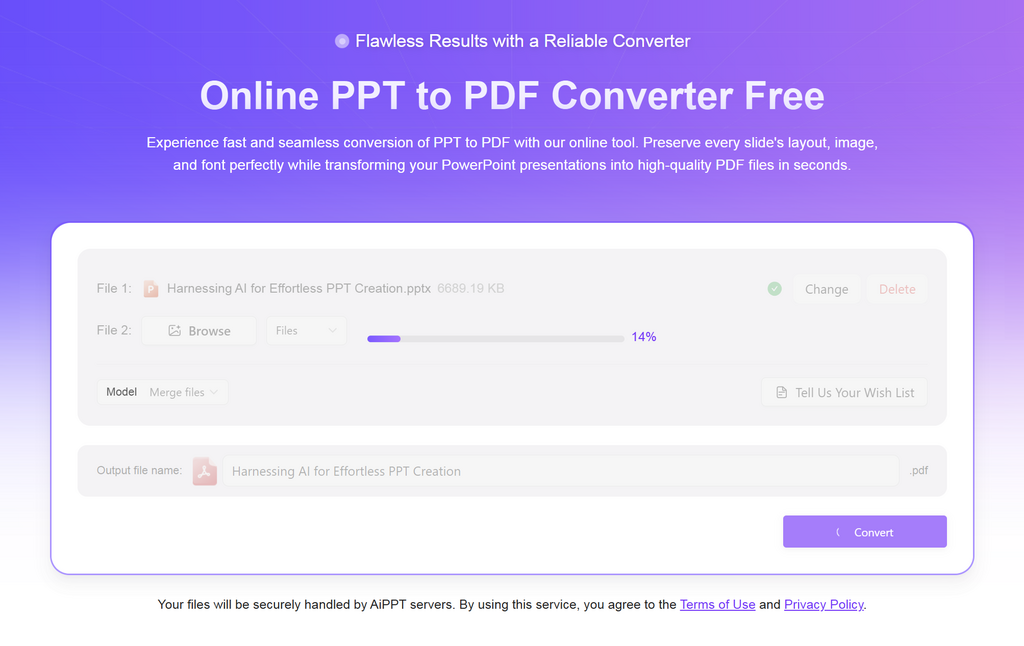
Step 4: Final Export and Download
Once the conversion is complete, the file is ready for immediate download. It is important to note that because the PDF format is a “fixed-layout” document designed for finalized distribution, the converted file is not available for preview or further editing within the AiPPT interface. This design choice ensures that the document remains a “final version” that is secure from accidental layout shifts. For any further edits, users should return to their original presentation file and re-run the PPT to PDF process.

Expert Strategies for Optimizing Your Source Files
While a powerful tool like AiPPT does the heavy lifting, the quality of your output is also influenced by how you prepare your original slides. To get the most out of your PPT to PDF workflow, consider these expert tips:
- Prioritize Vector Assets: Whenever possible, use SVG or EPS files for icons and logos. These formats are mathematically defined and will remain perfectly sharp regardless of the PDF’s zoom level.
- Check Image Transparency: If you are using images with transparent backgrounds (PNGs), ensure they are high-quality. Low-resolution transparency can sometimes create “halos” or white edges during the conversion process if not handled by a sophisticated engine.
- Embed Your Fonts: Before uploading for a PPT to PDF conversion, check your presentation settings to ensure fonts are embedded in the file. This provides the converter with the raw data it needs to replicate your typography exactly.
- Clean Up Unused Elements: Sometimes, objects hidden off-slide can still be processed by a PPT to PDF engine, increasing file size. Removing these hidden elements ensures a leaner, faster-loading PDF.
Industry-Specific Applications for High-Quality PDF Output
The demand for “zero-loss” conversion spans across various professional sectors. Each industry has unique requirements that make the quality of a PPT to PDF conversion critical.
Corporate and Strategic Consulting
For consultants, a presentation is a product. A misaligned slide or a blurry chart can undermine the credibility of a multi-million dollar recommendation. Using a professional converter ensures that the executive summary looks as sharp on a partner’s tablet as it did on the consultant’s high-end monitor.

