







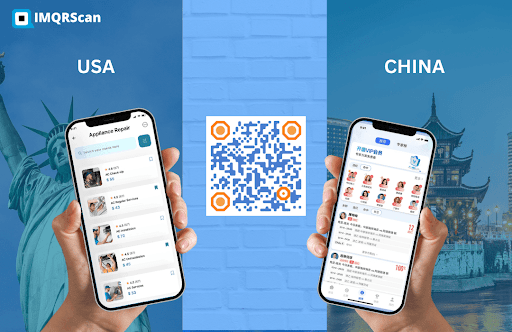
Using a Multi URL QR Code means one code can refer people to multiple different links. Depending on the smart device type this code can navigate to a unique place, language or current time, it might send them to a website, app, menu or video. It means sharing files is less complicated, more convenient and helps everyone.
Just one QR code is needed instead of many. People involved in business, teaching and organizing events can use it to work more efficiently and serve a larger group. You will discover in this post the operation of Multi URL QR Code and why they are needed in modern times.
What is Multi URL QR Code?
A Multi URL Code is like a magic box. One single box can take us on many different routes! There are several links inside this code. That’s right! Standard QR codes just redirect you to a single website. This one has the ability to lead you to a number of different websites. It has many other abilities. It can change where it sends you based on;
- Type of smart device.
- Time Zone.
- Your Language.
- Scan Location.
Let’s see how it works.
How Does A Multi URL Code Works?
It functions much like a helpful assistant. You scan the qr code. The code is next able to reason and sort through situations. It looks into a number of points. It will bring you to the target website right away.
Here are a few examples to show this:
- Different Links for Different Phones
- When you use an iPhone, the store you’re redirected to is the Apple App Store.
- When you use an Android, it will send you to download apps from Google Play.
Smart, right?
- Different Links for Different Places
- Are you an American? It brings you to the website of the United States government.
- Is India where you are from? It takes you to the India product summary page.
- You can share the link with everyone and everyone will be able to join.
- Different Links for Different Times
- Morning? You notice there is a breakfast menu.
- Night? You find a dinner menu.
- Time-based links are very useful for businesses.
Why Use Multi QR Codes?
Let looks into the benefits of Multi URL Codes:
A. Save Space: A single code will be enough to connect all 3 platforms. Only one is required. This means there is less space needed for:
- Posters.
- Flyers.
- Packages.
B. Look Neat: One code looks easy to understand. There are many codes written in a way that does not look organized. One layer of code is more effective.
C. Helps Everyone: Everyone gets the right link. No one gets lost.
D. Update the Link When Required: Has the link been updated? No problem! You are able to make changes to it. There is no need to generate a new QR code.
Who Can Use A Multi URL Code?
Anyone with a smartphone device and a scanner can use it.
- Teachers: QR code can be used by teachers for:
- Homework
- Videos
- Tests
Every student will go to a different link based on their needs!
- Shops: One shop can use only one code for its products.
- iPhone users
- Android users
- Local shoppers
- Tourists
Easy to access in one place.
- Restaurant: Researchers have found that restaurants can show digital menu qr code:
- The morning menu for breakfast.
- The lunch menu after midday
- Dinner menu at night.
One code is all you need for all the menus!

- Event Planners: An event QR code is used to:
- Provide clear directions ahead of the meeting.
- Telecast the program on TV during the event.
- Display the photos after the event has ended.
Cool, right?
Real-Life Example of Multi URL Codes
Lets explain by an example, a pizza place.
One Multi URL QR Code is made instead of several QR Codes for each website. This is how it will function:
- Before 11:00 a.m., you see the menu of their breakfast options.
- Between 11 am to 4 pm. You will find the lunch menu.
- At 4 p.m., the menu for dinner is put out on the links.
Everything is done with just one code. The customers love it.
How To Create A Multi URL Code?
It is simple. You can do it in a few minutes. No expertise required.
Step 1: Select A QR Code Generator
Select a reliable and renowned online QR code generator. For example: QR Code Generator Pro, QR Tiger, IMQRScan, QR Code Monkey.
Step 2: Select “Multi URL” Option
This is a unique type of QR code. It is not available on every code generator. Few QR code generators offer it. You just have to select these options when selecting the type of QR code.
Step 3: Add All The Links
When the information is asked. You can add all the links you want. You have to keep it organized and clear. You can add links like:
- Apple App Store ( for iPhone Users )
- Google Play Store ( for Android Users)
- Website.
- YouTube Video.
You can also add directions like:
- The iPhone user will go to the Apple App Store.
- Android users go to the Google Play Store.
- The page that is shown during the day is different from the one that is shown at night.
Step 4: Generate Your QR Code
Once you have provided all the information. Click “create”, and you will see your QR code.
Step 5: Test The QR Code
Once the code is generated, Test using various devices. It helps you know if the code is scannable and also if the links open or not. You can scan it with your iPhone, Android. You can also try the morning and night pages that you have set. Also, you should test it using different locations. Just make sure it works right.
Step 6: Print It or Share It
Once you are sure about its quality. You can download the code in HD quality. You can print it in clear and scannable quality on:
- Posters.
- Menus.
- Packages.
- Websites.
You are ready to display and distribute your code.
Tips for Using A Multi URL QR Code
Here are some simple tips:
- Make It Scannable: It should be big enough to be scannable and clearly visible to the users.
- Use Bright Colors: QR codes are usually black and white. But adding colors makes it attractive. Also it helps in branding.
- Add A CTA: Adding a CTA is necessary. It creates a feeling of urgency. You can add something like:
- Scan me to shop!
- Find the menu here!
- Check out our App!
- Scan me to shop!
- Keep the Links Short: You should only use clean links. Messy links create scanning difficulties. So it’s preferred to use clean and easy links.
- Update Frequently: Keeping your link updated is necessary. It helps keep the user up to date. As Multi URL Code is a dynamic code so update it frequently.
Final Thought
You can create a Multi URL QR Code very easily today! Give it a try!
Create one for:
- Your school project.
- For your small businesses
- Your restaurants.
- Your store is online.
Even just to make something fun! Allow the QR code to guide people. You relax and see your business grow!

